
How to Register for the Digital Product Passport: Step-by-Step Guide
Suscríbete:
If you already know that the Digital Product Passport Registry is operational and that you need a qualified electronic seal to access it, the next question is natural: what now?
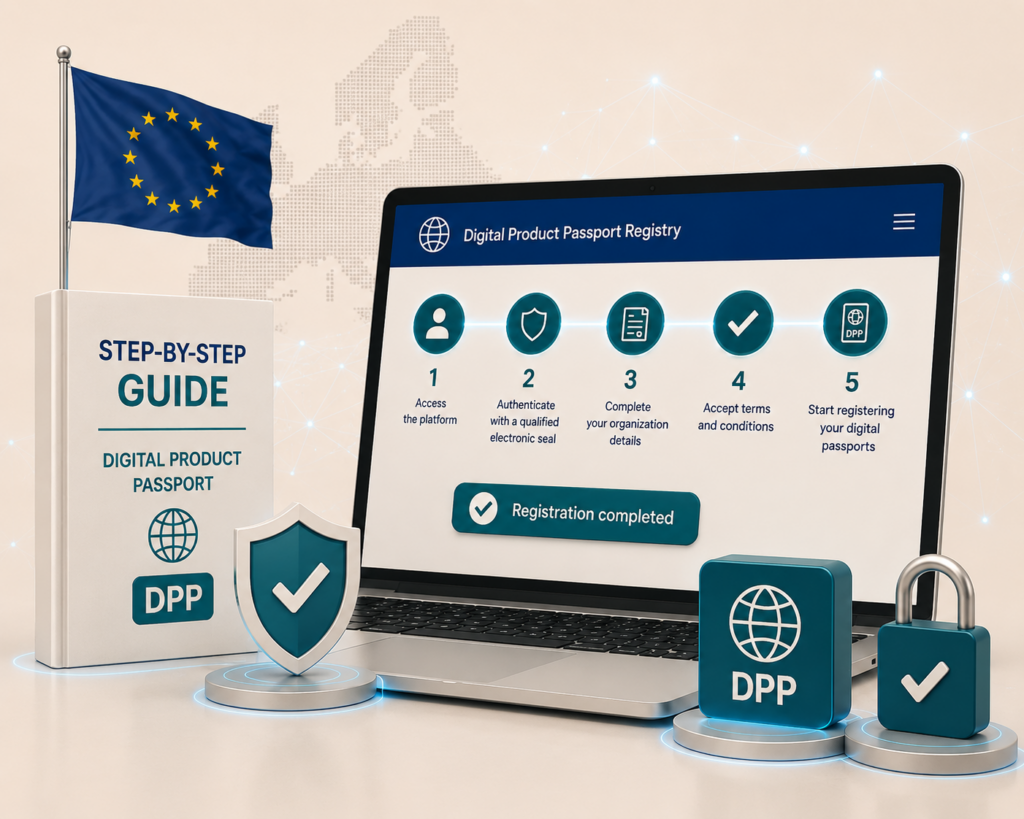
This article covers the entire process, from accessing the platform to the moment when you can start registering digital passports. Everything is based on the official guide published by DG GROW on 17 July 2026.
Key Concepts for Registering in the DPP Registry
Organisation Enrolment
The process through which a company provides its details to the DPP Registry so that the European Commission can verify that it has the right to operate as an economic operator. It creates both the organisation’s profile and the administrator’s account within the Registry.
PDF Declaration
A document generated by the European Commission during the verification process. It contains the details of the organisation that has been enrolled, is sealed with the Commission’s institutional seal and must be countersealed by the company’s legal representative before being returned to the system.
PAdES Baseline
A European technical standard that defines how an electronic signature or seal must be structured within a PDF document to remain valid and verifiable over the long term. The DPP Registry requires the seal or signature to comply with this format at one of its four levels: B, T, LT or LTA. If the tool used does not generate PAdES Baseline, verification will fail even if the certificate is qualified.
UPI (Unique Product Identifier)
A code that uniquely identifies each digital passport. In the DPP Registry, the UPI takes the form of an HTTPS URL that points to the location where the complete passport data is hosted. It is mandatory for every DPP registration and is generated or assigned by the economic operator.
URI (Unique Registration Identifier)
The identifier returned by the DPP Registry when a registration is completed successfully. It links the record stored in the Registry to the economic operator’s DPP data through the UPI.
Registration Granularity
The level of detail at which a DPP is registered. The Registry supports three levels: model (all items within the same product family), batch (all items manufactured in the same production run) and item/unit (a specific individual product). Currently, only the item level is available for the battery product group.
DPP Test Environment
A version of the DPP Registry provided by the Commission so that operators can explore the process without affecting the real system. It has a different URL, requires a separate EU Login account and the objects created may be deleted through cleaning routines. The verification process is identical to the production environment: it requires valid details and a genuine qualified seal.
Before You Begin: Two Phases That Should Not Be Confused
The process within the DPP Registry has two clearly separate phases, each with its own purpose.
The first is organisation enrolment and verification. This is the process through which you prove that you have the right to operate in the Registry as an economic operator. Until you complete this phase successfully, you cannot do anything else on the platform.
The second is DPP registration. Once the organisation has been verified, you can register the digital passports for your products.
Both phases are necessary, but they are different in nature. The first is essentially an identity verification process. The second is operational: it links the passport data for each product to the Commission’s central system.
Phase 1: Access and Organisation Enrolment
Step 1. Access the Platform with EU Login
The DPP Registry is available at registry.product-passport.ec.europa.eu. When you enter, the system automatically redirects you to EU Login, the European Commission’s central authentication service.
If you already have an EU Login account, enter your credentials to access the platform directly. If you do not have one, the account creation process is simple: name, email address, acceptance of the privacy statement and email confirmation.
A practical detail: if you need to associate access to the Registry with an email address other than the one you already use for other EU services, you can create an additional EU Login account.
Step 2. Create Your Organisation’s Profile
Once inside, select “Enrol New Organisation”. The platform distinguishes between two types of entity:
- Legal person: any legally incorporated company or organisation.
- Natural person: someone acting as an economic operator in their own name, for example, a self-employed importer.
For legal persons, the mandatory fields are the legal name (the registered legal name, not the trading name), the registered office address (which must match the address recorded in the commercial register, not a postal correspondence address), the country of registration and the entity identifier.
Regarding the identifier: the system accepts several types, but the preferred option is the NTR (national trade register number). The LEI (Legal Entity Identifier), VAT number and an electronic eID identifier are also accepted. For Spanish companies, the NTR is the most direct option.
In addition to the organisation’s details, a compliance contact must be provided: an email address and a telephone number that the competent authorities can use for matters related to DPP registration or product compliance. These details are not public.
Step 3. The Organisation Verification Process
This is the central step and the one that requires the most attention.
Once the details have been saved, request the PDF declaration by clicking “Request Declaration”. The European Commission generates a PDF document containing your organisation’s details and seals it with its own institutional electronic seal. You then download this document to your computer.
From that point onwards, what happens outside the platform is the most important part: the organisation’s legal representative must countersign or counterseal the PDF. The instrument used must be qualified under eIDAS:
- If you are a legal person: a qualified electronic seal (QSeal) issued by a QTSP.
- If you are a self-employed natural person: a qualified electronic signature (QES) issued by a QTSP.
There is an important detail highlighted in the official guide itself: the person who creates the request on the platform and the person who signs the declaration do not have to be the same person. If the account administrator and the legal representative are different people within the organisation, the details provided in the form must be those of the person who will sign it.
Once the PDF has been sealed or signed, upload it back to the system and submit the request. The platform verifies several aspects: that the document has not been modified after the Commission sealed it, that the organisation’s seal or signature reaches the qualified level, and that the certificate details match the details of the organisation that was enrolled.
There are three possible results: processing (PROCESSING), successful (SUCCESS) or failed (FAILURE). If successful, the organisation is verified and the person who created it becomes the organisation’s administrator in the Registry. If it fails, the system generates an error report indicating exactly what went wrong and what must be corrected.
What Automatically Invalidates Verification
There are three situations that the platform rejects without exception:
First, modifying the PDF after downloading it. The only permitted alteration is adding the seal or signature. Any other change, no matter how small, invalidates the document sealed by the Commission. If this happens, the process must be restarted and a new declaration requested.
Second, using a seal or signature that does not reach the qualified level under eIDAS. An advanced seal, server certificate or any certificate that is not listed as qualified in the European Trusted List will simply not pass validation.
Third, the certificate details not matching those of the registered organisation. If the legal name, identifier or country of registration contained in the QSeal is not exactly the same as the information entered in the form, the system detects the discrepancy and rejects the request.
Phase 2: DPP Registration
Once the organisation has been verified, you can start registering passports. The DPP Registry offers two methods.
Method 1. Online Form (One DPP per Submission)
From the side menu, select “DPP Registration” and choose the product group to which the item belongs. The system asks you to select the registration granularity level:
- Model: covers all items that share the same technical specifications within a product family. It is the most suitable option when the DPP information applies uniformly across the entire range.
- Batch: applies to all items manufactured during the same production run. It is useful when variations between production runs need to be documented.
- Item/unit: identifies a specific individual product. It is the most granular level and the only one currently available for batteries.
The mandatory information in every case is the unique product identifier (UPI), which uniquely identifies that DPP. It must be an HTTPS URL that complies with the JTC 24 technical standards and points to the location where the complete passport data is hosted.
The Registry does not store the passport data. It stores the UPI and its link to the data held under the control of the economic operator or the service provider designated by that operator.
Method 2. File Upload (Up to 100 DPPs per Submission)
For larger volumes, the system allows several DPPs to be submitted at once using an XML or JSON file. The platform provides a template for each format that can be used as a starting point.
The limit is 100 DPPs per submission. An important point must be taken into account: if just one of the DPPs included in the file contains an error, the system rejects the entire submission. It is therefore advisable to validate the file before uploading it.
What Happens After Submission
Each registration request receives a correlation identifier. Its status can be checked in the platform’s activity panel. When the registration is successful (SUCCESS), the system returns the UPI, the unique registration identifier (URI) and the associated product group. If it fails (FAILURE), it displays the UPI, product group and specific error description for each DPP.
The Test Environment
Before operating in production, the Commission has provided a test environment at registry.acc.product-passport.ec.europa.eu. It requires a separate EU Login account from the production environment, and the data created there is not migrated to or reflected in the real environment.
The verification process in the test environment is identical to the production process: you need valid details and a qualified seal or signature. This should be taken into account if you intend to use it as a “sandbox” without real consequences, because the process is not trivial there either.
Frequently Asked Questions (FAQ) About DPP Registration
Not directly. The organisation must first be verified. The process is initiated by the person who creates the EU Login account, but the generated PDF must be sealed or signed by the legal representative. Once the organisation has been verified, the person who created it becomes the administrator and can manage other users’ permissions.
No. The official guide expressly clarifies that the person who creates the request and the person who signs the declaration may be different people. What matters is that the details entered in the form belong to the legal representative who will sign it.
La verificación falla automáticamente. La única modificación permitida sobre el PDF generado por la Comisión es añadir el sello o la firma de la organización. Cualquier oThe verification automatically fails. The only modification permitted to the PDF generated by the Commission is adding the organisation’s seal or signature. Any other change invalidates the document and requires the process to be restarted by requesting a new declaration.
Because not all electronic seals are the same. The DPP Registry requires a qualified level under eIDAS and the PAdES Baseline format. A standard or advanced electronic seal, even if it works for other purposes, does not reach this level and the system rejects it with a specific error message.
The system rejects the entire submission. It does not process the correct DPPs and reject the incorrect ones separately: either all of them are accepted or none of them are. That is why the file should be validated before uploading it.
Yes. The Commission has provided a test environment at registry.acc.product-passport.ec.europa.eu. The verification process is identical to the production environment: you need valid details and a genuine qualified seal or signature. Anything created there has no effect on the production environment.
The UPI is assigned by the economic operator. It is an HTTPS URL that points to where the complete passport data is hosted. The Registry stores this link, not the data. The operator is responsible for ensuring that the URL is always active and accessible.
The UPI is generated by the economic operator and is the DPP identifier. The URI is generated by the DPP Registry when registration is completed successfully: it is the identifier of the entry within the Commission’s central system. They are complementary: the UPI points to the passport data; the URI confirms that the passport is officially registered.
What You Need to Have in Place Before You Begin
The process on the platform is relatively guided. The real bottleneck comes before accessing it.
To complete the organisation verification successfully, you need an operational qualified electronic seal certificate containing your entity’s details exactly as they appear in the commercial register. Obtaining it involves an identity verification process for the entity that is not immediate.
If your company does not yet have this certificate, that is the first step. Not EU Login, not the organisation details form: the seal.
Do you have questions about the type of certificate your company needs or how the process for obtaining it works? We will explain it to you.



23 de July de 2026
26 de August de 2026